OptiFine HD [1.21.11] [1.20.6] [1.19.4] [1.16.5]
Mod Description Imagine building a massive castle while the game stutters at 15 FPS. With OptiFine HD, you get smooth 60 frames and beautiful shader shadows. This graphics optimization mod completely transforms the Minecraft experience. After installation, the video settings menu gains numerous new sliders. You can enable anti‑aliasing, dynamic textures (animated water without lag), […]
Mod Description
Imagine building a massive castle while the game stutters at 15 FPS. With OptiFine HD, you get smooth 60 frames and beautiful shader shadows. This graphics optimization mod completely transforms the Minecraft experience.
After installation, the video settings menu gains numerous new sliders. You can enable anti‑aliasing, dynamic textures (animated water without lag), and even load shaders. OptiFine HD also supports texture packs with resolutions above 16×16 — a real bonus for realism enthusiasts.
One downside: the mod can sometimes conflict with Sodium or Iris, so it’s best to install it on a clean Forge setup. However, it works on nearly every version from 1.7.10 to 1.21.11.
Optifine HD Features
- Up to +200% FPS increase on low‑end PCs
- Shader support (SEUS, BSL, and others)
- Dynamic textures without lag
- Anti‑Aliasing
- Zoom (binoculars without extra mods)
- Connected Textures (glass, bookshelves)
- Compatibility with HD texture packs
- Works from 1.7.10 to 1.21.11
What’s New
The latest build for 1.21.11 (j9) was released on February 20, 2026. It improves compatibility with the new Forge and fixes crashes with certain shaders. Versions for 1.21.8, 1.21.4, and 1.20.4 have also been updated — they are now more stable on weaker hardware.
How to Install Optifine HD for Minecraft
- Install Forge of the same version (run the installer and select “Install client”).
- Open the
%appdata%/.minecraft/modsfolder. - Drag the mod’s .jar file into the
modsfolder. - Launch the launcher, select the Forge profile, and play with the new graphics settings.
What Players Ask
The mod works from 1.7.10 to 1.21.11. The latest version is 1.21.11 j9 on Forge 61.0.8.
Yes, all OptiFine HD builds require Forge. Install the required version of Forge, then place the .jar in the mods folder.
Sometimes yes — especially with rendering mods (Sodium, Iris). We recommend testing on a clean profile.
They animate without lag (water, lava, portals) and work even with old versions of the game.
In video settings, enable Smart Animations, smoothing, and reduce render distance. OptiFine HD optimizes rendering.
Available Files
- Для 1.21.11 j9 (forge 61.0.8) 1.21.11 • 8,05 МБChoose File
- Для 1.21.8 J6 pre 16 (forge 58.1.0) 1.21.8 • 7,70 МБChoose File
- Для 1.21.4 J4 pre 2 (forge 54.1.0) 1.21.4 • 7,43 МБChoose File
- Для 1.21.1 J1 (forge 52.0.16) 1.21.1 • 7,32 МБChoose File
- Для 1.20.4 I7 (forge 49.0.31) 1.20.4 • 7,23 МБChoose File
- Для 1.20.1 I6 (forge 47.2.18) 1.20.1 • 7,15 МБChoose File
- Для 1.19.2 I1 (forge 43.1.52) 1.19.2 • 6,93 МБChoose File
- Для 1.19.2 H9 (forge 43.1.1) 1.19.2 • 6,86 МБChoose File
- Для 1.18.2 H9 Pre 3 (forge 40.2.1) 1.18.2 • 6,73 МБChoose File
- Для 1.16.5 G8 (forge 36.1.0) 1.16.5 • 6,05 МБChoose File
- Для 1.12.2 G5 (forge #2847) 1.12.2 • 2,67 МБChoose File
- Для 1.7.10 1.7.10 • 1,62 МБChoose File
Keep exploring the same resource family
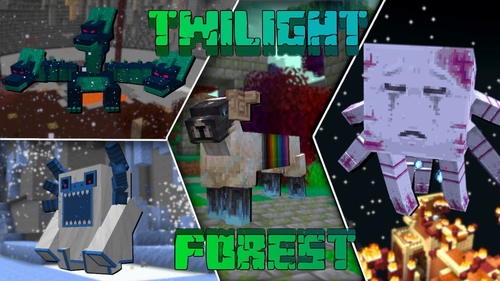
The Twilight Forest [1.21.1] [1.20.6] [1.19.4]
Description Have you ever dreamed of stepping into a realm of fairies and monsters? The Twilight Forest introduces an entirely new dimension—the Twilight Forest. This world is blanketed in a dense woodland, yet beneath the canopy lie ruins, castles, and deep caverns waiting to be explored. With over 30 fresh biomes, dozens of unique mobs, […]
Industrial craft 2 (IC2) [1.12.2] [1.11.2] [1.10.2]
Description Imagine a world where electricity is the foundation of everything. Industrial Craft 2 completely transforms Minecraft by adding a full-fledged energy system, complex machinery, and powerful tools. With this mod, you can build a nuclear reactor, automate resource processing, transmit power through cables, charge your tools, and craft advanced armor and weapons. It’s the […]
![Towns and Towers [1.21.11] [1.21.10] [1.21.8] icon for Android](https://minecraft-catalog.com/wp-content/uploads/2026/05/Towns-and-Towers-1.21.11-1.21.10-1.21.8-icon.webp)
Towns and Towers Mod [1.21.11, 1.21.10, 1.21.8]
Description Towns and Towers expands on Mojang’s 1.14 update. The mod adds new villages, pillager outposts, and ships. All structures are detailed yet blend naturally into the world, with many inspired by real‑world architecture. Currently the mod contains 56 structures (as of patch 1.9). These include villages, three types of outposts (towers, forts, camps), three […]
Create [1.21.1] [1.20.1] [1.19.2]
Have you ever wondered how to turn vanilla Minecraft into a factory filled with gears, conveyor belts, and automated furnaces? The Create mod makes this a reality. Instead of tedious redstone circuits, it introduces kinetic energy. Rotation, speed, and torque are what drive its machines. Connect shafts, attach cogwheels, and set entire production lines in […]
No comments yet