Balm Mod [1.21.11, 1.21.10]
What Is Balm? A Multi‑Loader Library Mod for Minecraft 1.21.5+ Quick Links: NeoForge, Forge, and Fabric builds are available for Minecraft 1.21.5 and newer. Fabric releases for versions 1.21.1 and older are hosted on the legacy project page. Minecraft 1.16 and earlier do not require Balm at all – mods run without the library on […]
What Is Balm? A Multi‑Loader Library Mod for Minecraft 1.21.5+
Quick Links:
- NeoForge, Forge, and Fabric builds are available for Minecraft 1.21.5 and newer.
- Fabric releases for versions 1.21.1 and older are hosted on the legacy project page.
- Minecraft 1.16 and earlier do not require Balm at all – mods run without the library on those versions.
Balm is a library mod designed to help mod developers create multi‑loader mods more easily. It supplies shared interfaces and events, reducing the need for loader‑specific code.
It is not a universal compatibility layer that allows Forge and Fabric mods to run side by side. As a player, you only need to install Balm when a mod you use explicitly depends on it.
Important Takeaways
No custom Gradle tooling, official mod loader plugins only
Uses Mojang Mappings, supports Jared's Multiloader-Template
All-inclusive from networking to configs, no third party dependencies
Battle-tested across Blay's 20+ mods ranging from content additions to quality of life utilities
Supports NeoForge, Fabric and Forge without duplicate code
Snapshots builds for pre-releases and release candidates
Unified support for Third Party Mods like Curios/Trinkets or Jade/TheOneProbe
Available on CurseForge and Modrinth (incl. Third Party Access)
How to Develop Mods with Balm: Guide and Resources
Creating a mod that uses Balm (for developers)
- Review the official documentation for a step‑by‑step introduction and a full feature overview.
- Use the template repository as a starting point or a quick reference.
- Examine the source code of Blay’s existing mods to see concrete implementations of common patterns.
- Join the Balm Developers Discord server to ask questions and collaborate with Blay and other modders.
Common Questions
Balm is a library mod that helps mod developers create mods that work on NeoForge, Forge and Fabric without duplicate code. As a player, you only need it if a mod you use requires it.
Balm supports 1.21.5+ on NeoForge, Forge and Fabric. Older versions (1.21.1 and below) have separate Fabric builds on an older project. Versions below 1.16 do not need Balm at all.
Download the correct version for your mod loader (NeoForge, Forge or Fabric) from CurseForge. Place it in your mods folder, or use the CurseForge App to install automatically when you add a mod that requires Balm.
Project author

Available Files
- balm-neoforge-26.1.2-26.1.2.6.jar 26.1.2 • 997.2 KBChoose File
- balm-forge-26.1.2-26.1.2.6.jar 26.1.2 • 998.5 KBChoose File
- balm-fabric-26.1.2-26.1.2.6.jar 26.1.2 • 1.0 MBChoose File
- balm-neoforge-26.1.2-26.1.2.5.jar 26.1.2 • 997.2 KBChoose File
- balm-fabric-26.1.2-26.1.2.5.jar 26.1.2 • 1.0 MBChoose File
- balm-forge-26.1.2-26.1.2.5.jar 26.1.2 • 998.5 KBChoose File
- balm-forge-26.1.2-26.1.2.4.jar 26.1.2 • 996.3 KBChoose File
- balm-neoforge-26.1.2-26.1.2.4.jar 26.1.2 • 994.9 KBChoose File
- balm-fabric-26.1.2-26.1.2.4.jar 26.1.2 • 1.0 MBChoose File
- balm-neoforge-26.1.2-26.1.2.3.jar 26.1.2 • 994.9 KBChoose File
- balm-forge-26.1.2-26.1.2.3.jar 26.1.2 • 996.3 KBChoose File
- balm-fabric-26.1.2-26.1.2.3.jar 26.1.2 • 1.0 MBChoose File
- balm-neoforge-26.1.2-26.1.2.2.jar 26.1.2 • 984.2 KBChoose File
- balm-fabric-26.1.2-26.1.2.2.jar 26.1.2 • 1015.7 KBChoose File
- balm-forge-26.1.2-26.1.2.2.jar 26.1.2 • 987.8 KBChoose File
- balm-forge-26.1.2-26.1.2.1.jar 26.1.2 • 979.4 KBChoose File
- balm-neoforge-26.1.2-26.1.2.1.jar 26.1.2 • 975.1 KBChoose File
- balm-fabric-26.1.2-26.1.2.1.jar 26.1.2 • 1006.4 KBChoose File
- balm-neoforge-1.21.11-21.11.9.jar 1.21.11 • 783.8 KBChoose File
- balm-fabric-1.21.11-21.11.9.jar 1.21.11 • 852.6 KBChoose File
Keep exploring the same resource family
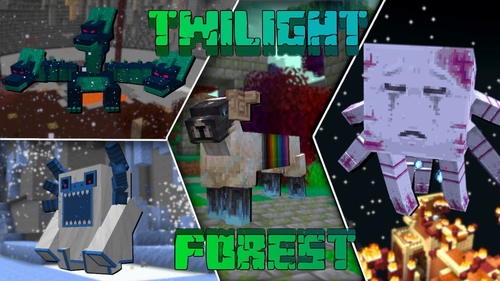
The Twilight Forest [1.21.1] [1.20.6] [1.19.4]
Description Have you ever dreamed of stepping into a realm of fairies and monsters? The Twilight Forest introduces an entirely new dimension—the Twilight Forest. This world is blanketed in a dense woodland, yet beneath the canopy lie ruins, castles, and deep caverns waiting to be explored. With over 30 fresh biomes, dozens of unique mobs, […]
Industrial craft 2 (IC2) [1.12.2] [1.11.2] [1.10.2]
Description Imagine a world where electricity is the foundation of everything. Industrial Craft 2 completely transforms Minecraft by adding a full-fledged energy system, complex machinery, and powerful tools. With this mod, you can build a nuclear reactor, automate resource processing, transmit power through cables, charge your tools, and craft advanced armor and weapons. It’s the […]
![Towns and Towers [1.21.11] [1.21.10] [1.21.8] icon for Android](https://minecraft-catalog.com/wp-content/uploads/2026/05/Towns-and-Towers-1.21.11-1.21.10-1.21.8-icon.webp)
Towns and Towers Mod [1.21.11, 1.21.10, 1.21.8]
Description Towns and Towers expands on Mojang’s 1.14 update. The mod adds new villages, pillager outposts, and ships. All structures are detailed yet blend naturally into the world, with many inspired by real‑world architecture. Currently the mod contains 56 structures (as of patch 1.9). These include villages, three types of outposts (towers, forts, camps), three […]
Create [1.21.1] [1.20.1] [1.19.2]
Have you ever wondered how to turn vanilla Minecraft into a factory filled with gears, conveyor belts, and automated furnaces? The Create mod makes this a reality. Instead of tedious redstone circuits, it introduces kinetic energy. Rotation, speed, and torque are what drive its machines. Connect shafts, attach cogwheels, and set entire production lines in […]
No comments yet