Zcopers Better Beaches [1.20.1] [1.19.4] [1.19.2]
Mod description Tired of those empty, boring shorelines in Minecraft? The ZBB mod is exactly what you need to completely transform your beach biomes. It packs the coastlines with brand-new plants, custom creatures, and fresh mechanics that make the shores actually feel alive. Instead of endless flat sand, you’ll be dodging unique rock formations, collecting […]
Mod description
Tired of those empty, boring shorelines in Minecraft? The ZBB mod is exactly what you need to completely transform your beach biomes. It packs the coastlines with brand-new plants, custom creatures, and fresh mechanics that make the shores actually feel alive.
Instead of endless flat sand, you’ll be dodging unique rock formations, collecting seashells, and chopping down tall palm trees. The creator even threw in washed-up plastic trash for a strangely realistic, gritty touch. Just watch your back—along with unpredictable new weather effects, you might actually run into hostile cannibal tribes while taking a walk on the beach.
How to install Zcopers Better Beaches
- Install Minecraft Forge:
Download and run the installer for your required version of Forge. - Install GeckoLib:
This mod relies on GeckoLib for custom animations, so make sure you download and install it first. - Download the ZBB mod:
Grab the latest version of the mod file to your computer. - Move the file to your mods directory (Do not unpack or unzip the file)
Simply drag and drop the downloaded.jarfile directly into your.minecraft\modsfolder. - Launch the game:
Start Minecraft and you are good to go!
Q&A
He adds palm trees, shells, trash, cannibals, and a new weather effect to the beaches.
Works on 1.20.1, 1.19.4 and 1.19.2 with Forge.
Yes, GeckoLib is required for mob animations.
Yes, there are coconuts, shells, and plastic that can be used.
Install Forge and GeckoLib, then copy the file to the mods folder.
Available Files
- Для 1.20.1 forge 1.20.1 • 3,54 МБChoose File
- Для 1.19.4 forge 1.19.4 • 3,54 МБChoose File
- Для 1.19.2 forge 1.19.2 • 3,49 МБChoose File
Keep exploring the same resource family
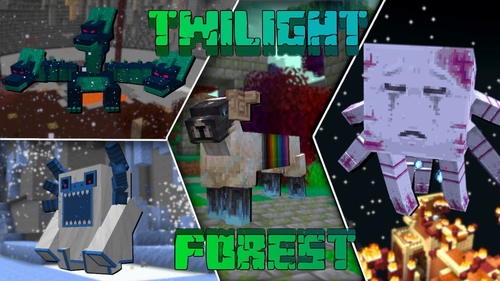
The Twilight Forest [1.21.1] [1.20.6] [1.19.4]
Description Have you ever dreamed of stepping into a realm of fairies and monsters? The Twilight Forest introduces an entirely new dimension—the Twilight Forest. This world is blanketed in a dense woodland, yet beneath the canopy lie ruins, castles, and deep caverns waiting to be explored. With over 30 fresh biomes, dozens of unique mobs, […]
Industrial craft 2 (IC2) [1.12.2] [1.11.2] [1.10.2]
Description Imagine a world where electricity is the foundation of everything. Industrial Craft 2 completely transforms Minecraft by adding a full-fledged energy system, complex machinery, and powerful tools. With this mod, you can build a nuclear reactor, automate resource processing, transmit power through cables, charge your tools, and craft advanced armor and weapons. It’s the […]
![Towns and Towers [1.21.11] [1.21.10] [1.21.8] icon for Android](https://minecraft-catalog.com/wp-content/uploads/2026/05/Towns-and-Towers-1.21.11-1.21.10-1.21.8-icon.webp)
Towns and Towers Mod [1.21.11, 1.21.10, 1.21.8]
Description Towns and Towers expands on Mojang’s 1.14 update. The mod adds new villages, pillager outposts, and ships. All structures are detailed yet blend naturally into the world, with many inspired by real‑world architecture. Currently the mod contains 56 structures (as of patch 1.9). These include villages, three types of outposts (towers, forts, camps), three […]
Create [1.21.1] [1.20.1] [1.19.2]
Have you ever wondered how to turn vanilla Minecraft into a factory filled with gears, conveyor belts, and automated furnaces? The Create mod makes this a reality. Instead of tedious redstone circuits, it introduces kinetic energy. Rotation, speed, and torque are what drive its machines. Connect shafts, attach cogwheels, and set entire production lines in […]
No comments yet