Just Enough Items (JEI) Mod [1.21.11, 1.21.10, 1.21.1]
Just Enough Items (JEI) Overview: Recipe Viewer for Minecraft Just Enough Items (JEI) is a lightweight recipe and item browser for Minecraft, built for high performance and stability. It lets you view crafting recipes, item uses, and search through the entire item catalogue with minimal impact on game performance. Keybinds, Inventory Controls, and Recipe Navigation […]
Just Enough Items (JEI) Overview: Recipe Viewer for Minecraft
Just Enough Items (JEI) is a lightweight recipe and item browser for Minecraft, built for high performance and stability. It lets you view crafting recipes, item uses, and search through the entire item catalogue with minimal impact on game performance.
![Just Enough Items (JEI) Modpack [1.21.1, 1.21.2+]](https://minecraft-catalog.com/wp-content/uploads/2026/05/Just-Enough-Items-JEI-Modpack-1.21.1-1.21.2-screenshot-5-1.png)
Keybinds, Inventory Controls, and Recipe Navigation
Inventory Controls (configured in Minecraft Options → Controls):
- Show Recipe: hover over an item and press R
- Show Uses: hover over an item and press U
- Toggle Item List Overlay: press Control + O
Item List:
- Show Recipes: click an item or press R
- Show Uses: right-click an item or press U
- Next/Previous Page: use the scroll wheel
Configuration Menu:
- Open Config Menu: click the wrench icon at the bottom‑right corner
- Toggle Cheat Mode: Control + click the wrench icon
Search Bar:
- Select Search Bar: click it or press Control + F
- Clear Search: right-click the search bar
- Previous Search: press the ↑ arrow key
- Filter by Mod: type
@before a term (e.g.,@thaum) - Combine multiple terms: separate them with spaces (e.g.,
wand @thaum) - Exclude a term: type
-before it (e.g.,@thaum -wand) - Search for multi‑word phrases: enclose them in double quotes (e.g.,
"two words")
Recipe View:
- Next/Previous Page: use the scroll wheel
- Show All Recipes: click the recipe category’s name
- Move Items into Crafting Area: click the [+] button; Shift + click to move multiple sets of items
Advanced Search Operators and Cheat Mode Controls
Advanced Search:
- Search in tooltips only: type
#before a word - Search by OreDict name: type
$before a word - Search by Creative Tab: type
%before a word - Combine multiple searches: separate terms with a pipe character
|(e.g.,wrench|hammer)
Cheat Mode (when active):
- Get a full stack of an item: click the item in the list
- Delete an item: drop it onto the item list area
Item List Edit Mode (when active):
- Controls are displayed on the item tooltip in‑game
- Hide an item: Control + click the item
- Hide an item and all of its sub‑items: Control + right‑click the item
- Hide all items from a mod: Control + Shift + click the item
Frequently Asked Questions About JEI
- Can I include JEI in my mod pack?
- Yes, absolutely.
- Can JEI run client-only or with a vanilla server?
- [1.21.1 or lower] Yes, but some features are disabled:
- The “Move items into crafting area” ([+]) buttons.
- Cheating in items that contain large amounts of NBT data.
- Deleting items.
- [1.21.2+] Since Minecraft 1.21.2, recipes are stored on the server. Install JEI and NeoForge/Fabric on the server to sync recipes to the client.
- Where can I find a feature that existed in NEI?
- A compatibility chart shows which mods support each legacy feature.
- How do I report issues, bugs, crashes, or request features?
- Visit the JEI GitHub Issues page.
- [1.21.1 or lower] Yes, but some features are disabled:
Quick Answers
Of course, just add it as a dependency.
On versions 1.21.1 and below — yes, with some limitations. On 1.21.2+ installation on the server is required for recipe synchronization.
Project author

Available Files
- jei-26.1.2-neoforge-29.5.0.28.jar 26.1.2 + 2 • 1.4 MBChoose File
- jei-26.1.2-fabric-29.5.0.28.jar 26.1.2 + 2 • 1.4 MBChoose File
- jei-26.1.2-neoforge-29.5.0.27.jar 26.1.2 + 2 • 1.4 MBChoose File
- jei-26.1.2-fabric-29.5.0.27.jar 26.1.2 + 2 • 1.4 MBChoose File
- jei-26.1.2-neoforge-29.5.0.26.jar 26.1.2 + 2 • 1.4 MBChoose File
- jei-26.1.2-fabric-29.5.0.26.jar 26.1.2 + 2 • 1.4 MBChoose File
- jei-1.20.1-forge-15.20.0.130.jar 1.20.1 • 1.3 MBChoose File
- jei-1.20.1-fabric-15.20.0.130.jar 1.20.1 • 1.4 MBChoose File
- jei-26.1.2-neoforge-29.5.0.25.jar 26.1.2 + 2 • 1.4 MBChoose File
- jei-26.1.2-fabric-29.5.0.25.jar 26.1.2 + 2 • 1.4 MBChoose File
- jei-26.1.2-neoforge-29.5.0.24.jar 26.1.2 + 2 • 1.4 MBChoose File
- jei-26.1.2-fabric-29.5.0.24.jar 26.1.2 + 2 • 1.4 MBChoose File
- jei-26.1.1-neoforge-29.4.0.23.jar 26.1.1 + 1 • 1.4 MBChoose File
- jei-26.1.1-fabric-29.4.0.23.jar 26.1.1 + 1 • 1.4 MBChoose File
- jei-26.1.1-neoforge-29.3.0.22.jar 26.1.1 + 1 • 1.4 MBChoose File
- jei-26.1.1-fabric-29.3.0.22.jar 26.1.1 + 1 • 1.4 MBChoose File
- jei-26.1-neoforge-29.2.0.21.jar 26.1 • 1.4 MBChoose File
- jei-26.1-fabric-29.2.0.21.jar 26.1 • 1.4 MBChoose File
- jei-26.1-neoforge-29.2.0.20.jar 26.1 • 1.4 MBChoose File
- jei-26.1-fabric-29.2.0.20.jar 26.1 • 1.4 MBChoose File
Keep exploring the same resource family
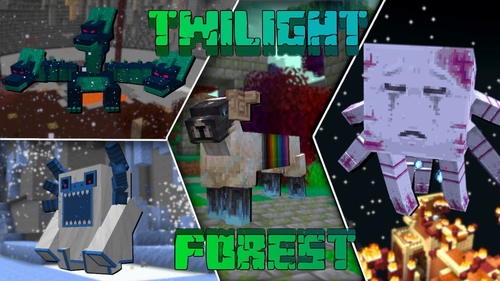
The Twilight Forest [1.21.1] [1.20.6] [1.19.4]
Description Have you ever dreamed of stepping into a realm of fairies and monsters? The Twilight Forest introduces an entirely new dimension—the Twilight Forest. This world is blanketed in a dense woodland, yet beneath the canopy lie ruins, castles, and deep caverns waiting to be explored. With over 30 fresh biomes, dozens of unique mobs, […]
Industrial craft 2 (IC2) [1.12.2] [1.11.2] [1.10.2]
Description Imagine a world where electricity is the foundation of everything. Industrial Craft 2 completely transforms Minecraft by adding a full-fledged energy system, complex machinery, and powerful tools. With this mod, you can build a nuclear reactor, automate resource processing, transmit power through cables, charge your tools, and craft advanced armor and weapons. It’s the […]
![Towns and Towers [1.21.11] [1.21.10] [1.21.8] icon for Android](https://minecraft-catalog.com/wp-content/uploads/2026/05/Towns-and-Towers-1.21.11-1.21.10-1.21.8-icon.webp)
Towns and Towers Mod [1.21.11, 1.21.10, 1.21.8]
Description Towns and Towers expands on Mojang’s 1.14 update. The mod adds new villages, pillager outposts, and ships. All structures are detailed yet blend naturally into the world, with many inspired by real‑world architecture. Currently the mod contains 56 structures (as of patch 1.9). These include villages, three types of outposts (towers, forts, camps), three […]
Create [1.21.1] [1.20.1] [1.19.2]
Have you ever wondered how to turn vanilla Minecraft into a factory filled with gears, conveyor belts, and automated furnaces? The Create mod makes this a reality. Instead of tedious redstone circuits, it introduces kinetic energy. Rotation, speed, and torque are what drive its machines. Connect shafts, attach cogwheels, and set entire production lines in […]
No comments yet